
Send the files wish to print as attachments (otherwise, the email message will print) to printing@trl.org.
-
If your email address is already in the Pharos system:
You’ll receive a confirmation email showing your documents are ready for release. Go to your library to release your print jobs. -
If your email address is not in the Pharos system:
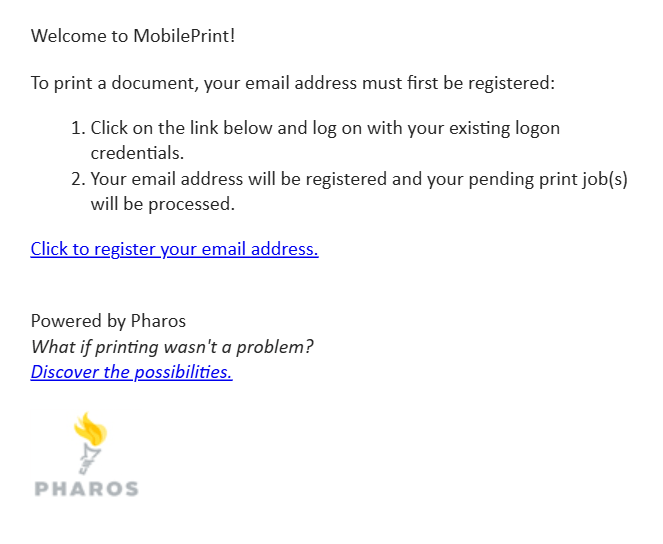
You’ll receive an email with a link to complete email registration (see below).
How do I register my email address for printing?
Requirements:
- You must have logged in to Pharos My Print Center at least once using your library card and PIN.
- You may register multiple email addresses.
To register your email:
- From your email account, send an email to printing@trl.org.
- You’ll receive a message with a registration link.
- Click on the Click to register your email address link. You will be redirected to the Pharos Print Center website.
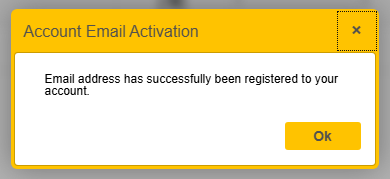
- Log in with your library barcode and PIN. You will receive a message 'Email address has successfully been registered to your account'.
- Click OK.
Your email address will be added to the database and the next time you submit your documents via email, you will receive a reply email showing that your documents are ready for release.